
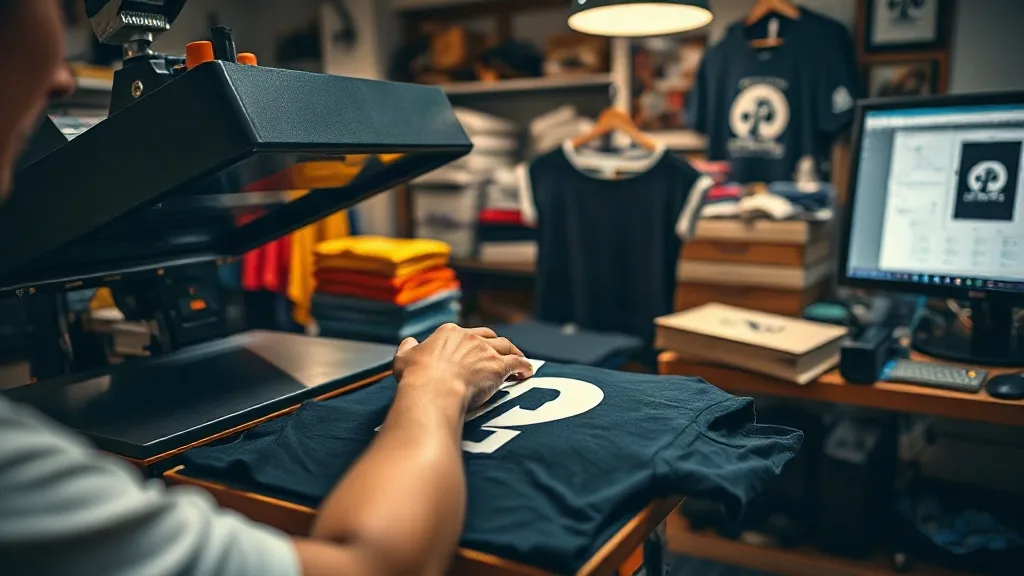
It's 4 p.m. on Wednesday. A customer calls in a panic: they need 50 shirts with a custom logo by Friday morning for a company event. Your regular screen printer is backed up, and your vinyl cutter is tied up with another job. This is exactly the scenario where dtf transfers can be a lifesaver. But rush orders come with their own set of challenges, and if you don't have a system in place, you risk turning a profitable job into a stressful mess. In this guide, I'll share practical strategies for handling last-minute DTF orders, from pricing to production flow, so you can say yes to rush jobs without burning out.
Why DTF Transfers Are Perfect for Rush Jobs
DTF transfers have a unique advantage over other decoration methods when time is tight. Unlike screen printing, which requires screens to be burned and set up, or embroidery, which needs digitizing and careful tension adjustments, DTF transfers are ready to press as soon as they come off the printer. If you have a DTF printer in-house, you can go from file to finished shirt in under an hour for small runs. Even if you outsource your transfers, many suppliers offer same-day or next-day turnaround on gang sheets. That flexibility makes dtf a go-to for last-minute orders.
But speed doesn't mean you can skip the details. Rush jobs often come with tight deadlines and high expectations, so you need to be extra careful with file prep, color accuracy, and pressing parameters. The last thing you want is to deliver a batch of shirts with crooked prints or premature peeling because you rushed the process.
Setting Up a Rush Order Workflow
When a last-minute order comes in, the first step is to assess whether you can realistically deliver on time without compromising quality. Here's a workflow that has worked well for my shop:
- Clarify the deadline and quantity. Ask the customer exactly when they need the shirts and how many. If they say "Friday," confirm whether that means Friday morning or end of day. This gives you a buffer.
- Check your blank inventory. Do you have the right sizes and colors in stock? If not, can you get them quickly from a local supplier or a fast-shipping wholesaler? Don't promise a deadline until you're sure you can get the blanks.
- Review the artwork. Rush orders often come with less-than-ideal files. Check for resolution, proper color mode, and any transparency issues. If the customer provides a low-res JPEG, ask for a vector file or recreate it quickly if possible.
- Decide on transfer production. If you print in-house, can you fit the job into your schedule? If not, do you have a reliable supplier who can turn around a gang sheet quickly? Have a backup plan.
- Set a realistic price. Rush orders should carry a rush fee. Don't be afraid to charge for the extra effort and potential overtime. Customers who need it fast expect to pay more.
Once you've confirmed the details, communicate clearly with the customer about the timeline and any potential hiccups. Setting expectations upfront prevents misunderstandings later.
File Prep and Color Management Under Pressure
When you're racing the clock, it's tempting to skip steps in file prep. But a mistake here can cost you more time in the long run. Always proof the artwork on screen at actual print size, and check for any stray pixels or artifacts. If the design has fine details or small text, consider printing a test transfer on a scrap piece of fabric to ensure legibility.
Color accuracy is another area where rush jobs can suffer. If the customer has brand colors, use a color matching tool or consult a Pantone chart. Remember that DTF prints can appear slightly different on different fabrics, so if you're using a new blank, do a quick press test on a swatch. For more tips on color fidelity, see our guide on dtf transfers.
If you're outsourcing transfers, send your files early in the day to catch the supplier's cutoff. Many suppliers have a cutoff time for same-day production, so plan accordingly.
Pressing Efficiency: Batching and Parallel Processing
When you have a pile of shirts to press, efficiency is key. Here are some tactics to speed up pressing without sacrificing quality:
- Preheat your press. Make sure your heat press is at the correct temperature before you start. A cold press will extend dwell time and may cause inconsistent adhesion.
- Organize by design and size. Group shirts by design and size so you can press similar items together. This reduces changeover time and minimizes errors.
- Use a conveyor or multiple presses if available. If you have a conveyor dryer or multiple heat presses, you can run parallel operations. For example, one person can prep shirts while another presses.
- Have a staging area. Lay out shirts in the order they'll be pressed, with transfers ready to go. This minimizes handling time.
If you're new to DTF pressing, check out our dtf resources for detailed pressing parameters.
Quality Control on the Fly
Even with a tight deadline, you must inspect each shirt before it goes out. Look for common issues like incomplete transfer, wrinkles, or offset placement. A quick visual check and a gentle peel test on the first few pieces can catch problems early. If you spot an issue, adjust your press settings immediately. Don't wait until the end to find out that half the batch is defective.
For more on quality control, see our article on dtf transfers near me (link to local resources).
Pricing Rush Orders Fairly
Rush orders disrupt your normal workflow, so it's fair to charge a premium. A common approach is to add a 15-25% rush fee on top of your regular price. For extremely tight deadlines (e.g., same-day), you might charge 50% more. Be transparent about the fee and explain that it covers overtime labor and expedited materials. Customers who value speed will understand.
Also, consider the cost of potential errors. If you're rushing, you might need to reprint a transfer or replace a shirt. Build a small buffer into your price to cover these contingencies.
Communicating with Customers During Rush Jobs
Keep the customer in the loop. Send a quick confirmation once you've received the order, and update them when you start production and when the order is ready. If you encounter a delay, inform them immediately and offer a solution. Clear communication builds trust and can turn a frantic customer into a loyal one.
Common Pitfalls to Avoid
Last-minute orders can go wrong in predictable ways. Here are a few pitfalls to watch for:
- Overpromising. Don't accept a deadline you can't meet. It's better to decline or negotiate a later time than to deliver late.
- Skipping the test press. Always test a new design or fabric combination on a scrap piece. A small test can save a whole batch.
- Ignoring press parameters. Each fabric and transfer type may require different temperature, pressure, and dwell time. Don't assume one setting fits all.
- Forgetting to cool peel. Some DTF transfers require a cool peel for best results. Check the instructions and follow them precisely.
Frequently Asked Questions
Can I use DTF transfers for same-day orders?
Yes, if you have an in-house DTF printer and the blanks are in stock. The process from printing to pressing can take as little as 30-45 minutes for a small batch. However, for larger orders or complex designs, you may need more time.
How do I handle color matching for rush orders?
Use a color matching tool or consult Pantone references. If you're unsure, press a small test patch on the actual fabric and compare it to the customer's reference. For critical brand colors, consider outsourcing to a supplier with color management expertise.
What's the best way to price a last-minute DTF order?
Add a rush fee of 15-25% for next-day service and up to 50% for same-day. Be transparent about the fee and ensure it covers any overtime or expedited shipping costs.
How can I speed up the pressing process without sacrificing quality?
Preheat your press, organize shirts by design and size, and use multiple presses if available. Also, have a staging area to minimize handling time. Always follow the correct press parameters for the fabric and transfer type.
What should I do if I encounter a problem during a rush order?
Stay calm and troubleshoot systematically. Check your press settings, transfer quality, and fabric compatibility. If you can't resolve the issue quickly, communicate with the customer and offer a solution, such as a partial refund or a revised deadline.
Handling last-minute DTF orders doesn't have to be a nightmare. With a solid workflow, clear communication, and a bit of planning, you can turn rush jobs into a profitable part of your business. For more resources on DTF transfers, including where to find local suppliers, search for dtf transfers near me or visit our website.